Unlock the potential of Moodle

Specialized plugins and custom services.

Enhance learning experiences, streamline administration.

Moodle
Moodle Plugins - RR Technology Solutions

About Us

Moodle Plugins - RR Technology Solutions

RR's philosophy is to always offer the highest quality in products and services, seeking not only to satisfy the needs of its clients, but to exceed their expectations. With a team of highly qualified professionals, prepared to offer differentiated and specific service to the needs and objectives of each of its clients.

Moodle Consulting

Provide training for your team and your clients in a fully online format

Online Stores

Complete and professional Online Store solution, with payment options, shipping, and full support.

Website Creation

Website creation for your business. We develop unique projects to achieve the best results.

Learn More

Our Projects

A selection of our developed plugins.

E-commerce

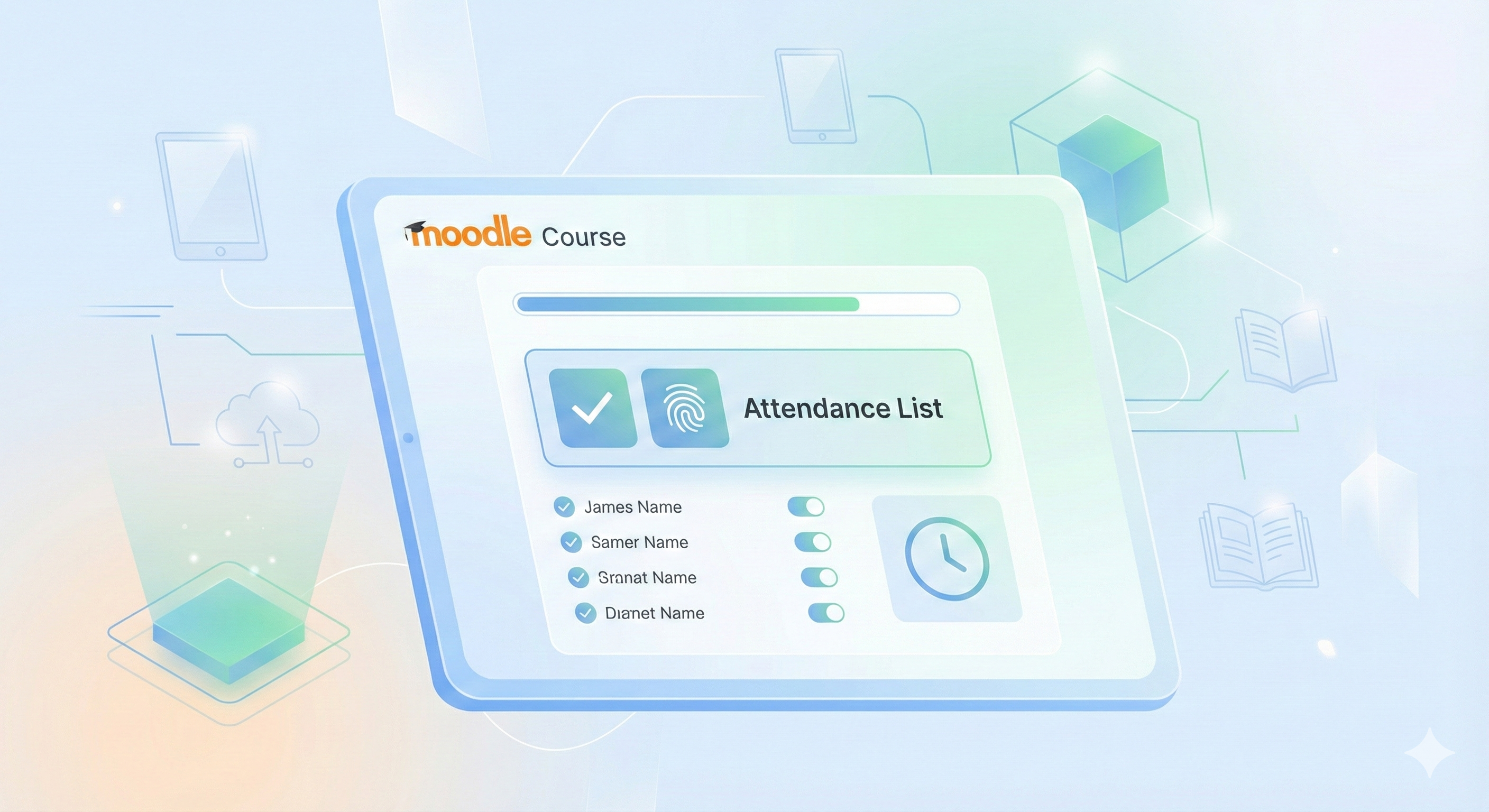
This plugin is ideal for in-person, hybrid, or online courses that need automated attendance tracking integrated into the Moodle environment.

Blocks Moodle Plugin Block

Attendance List

The Attendance List plugin is a Moodle block that allows students to record their attendance directly on the course page quickly and easily. The plugin also provides teachers and administrators with the ability to view and export detailed student attendance reports.

Attendance List - Plugin Features

  • For Students

    • Simple Attendance Recording: Students can record their attendance with a single click directly on the block.
    • Attendance History: View recent recorded attendances (configurable quantity).
    • Time Control: Attendance recording is only allowed within a time range configured by the administrator.
    • Visual Feedback: Clear visual indicators show whether attendance has already been recorded for the day.
  • For Teachers and Administrators

    • Attendance Report: Complete view of all course attendance records.
    • Advanced Filters: Filter records by student, start date, and end date.
    • Statistics: View metrics such as total records, attendances, absences, and attendance rate.
    • Data Export: Export reports in CSV and Excel formats for external analysis.
    • Automatic Absence Recording: Option to automatically record absences for students who didn't check in.
  • Advanced Settings

    • Registration Time: Configure the daily time range when students can record attendance.
    • Rate Limiting: Abuse prevention with registration attempt limits per minute.
    • Customizable History: Set how many recent records should be displayed in the block (0-10).
    • Automatic Absences: Enable automatic absence recording for students who don't register attendance.
    • Course Restrictions: The block only works in active courses (within the start and end period).
  • Technical Features

    • Web Services API: AJAX endpoints for attendance recording and history queries.
    • System Events: Emits events when attendances and absences are recorded for integration with other plugins.
    • Scheduled Task: Automatic task to process absences for students who didn't register attendance.
    • GDPR Compliance: Complete implementation of Moodle's privacy API.
    • Capabilities and Permissions: Granular permission system for access control.

Schedule consultation
E-commerce

Native integration with Moodle's completion system, full LGPD/GDPR compliance, and responsive interface for all devices complete the perfect experience for educators who value quality and measurable results.

Module Moodle Plugin Mod

Movio Player (in staging)

Movio Player is the ultimate plugin for those who take educational video seriously in Moodle. Protect your content with custom watermarks, know exactly how much each student watched, and make decisions based on real engagement data. Simple to configure, powerful in results.

Movio Player - Plugin Features

  • Multi-Platform and Format Support

    • YouTube: Direct integration with YouTube videos
    • Vimeo: Complete support for Vimeo-hosted videos
    • MP4: MP4 format videos from any server
    • WebM: Support for WebM format
    • HLS (HTTP Live Streaming): .m3u8 files for streaming
  • Watermark System

    • Custom watermark display over the video
    • Option to display student name
    • Option to display student email
    • Individual configuration per activity
  • Progress Tracking

    • Automatic viewing progress monitoring
    • Total watch time recording
    • Watched percentage calculation
    • Minimum percentage configuration for completion (1-100%)
    • Last view tracking
  • Detailed Reports

    • Each student's progress
    • Total viewing time
    • Last access date
    • Completion status
  • Activity Completion

    • Integration with Moodle's activity completion system
    • Automatic completion marking based on watched percentage
    • Module view tracking
  • Privacy and GDPR

    • Complete implementation of Moodle's Privacy API
    • Record of all collected data
    • Compliance with data protection regulations

Schedule consultation
E-commerce

With PlugUp, administrators can easily view detailed information about each plugin in their Moodle installation, including version numbers, installation dates, dependencies, and status.

Tools Moodle Plugin Tool

PlugUp

Simplify the administration of your Moodle environment with PlugUp. This tool offers a centralized view of all installed plugins, displaying versions, status, dependencies, and installation dates on a single screen. With the integrated backup system, protect your customizations securely.

PlugUp - Plugin Features

  • Multi-Platform and Format Support

    • View all plugins installed on the system
    • Filter to display only additional (non-standard) plugins
    • Organized table with detailed information
  • Detailed Plugin Information

    • Name: Plugin display name
    • Installation Path: Plugin location in the file system
    • Version: Plugin version and release number
    • Installation Date: Date when the plugin was installed (DD/MM/YYYY format)
    • Availability Status: Indicates whether the plugin is enabled or disabled
    • Notes: Information about plugin type and dependencies
  • Backup System

    • Backup creation for additional plugins
    • Confirmation before performing backup
    • Success or error notifications for operations
    • Organized backup storage
  • User-Friendly Interface

    • Responsive and well-formatted table
    • Visual status indicators (enabled/disabled) with colored badges
    • Pagination for better performance in installations with many plugins
    • Feedback system for user actions
  • Dependency Identification

    • Shows which other plugins depend on each listed plugin
    • Helps prevent accidental removal of required plugins

Schedule consultation
App de Receitas

This plugin is especially useful for system administrators who need to quickly check server status, PHP settings, resource usage, security, and Moodle component status.

Blocks Moodle Plugin Block

Server Monitor

Server Monitor is a Moodle block that provides detailed server information, allowing administrators to monitor various aspects of the Moodle hosting environment in real time. The plugin displays essential technical server information in an organized and easy-to-understand manner.

Server Monitor - Plugin Features

  • PHP Information

    • Running PHP version
    • Main PHP settings
    • Memory and execution limits
  • Memory Monitoring

    • Current memory usage
    • Configured memory limit
    • Usage percentage
  • Disk Monitoring

    • Total disk space
    • Used space
    • Available space
    • Usage percentage
  • Database Information

    • Database type
    • Database version
    • Connection status
    • Configuration information
  • PHP Extensions

    • List of installed PHP extensions
    • Required extension verification
    • Critical extension status
  • Security Checks

    • PHP security settings
    • Critical settings analysis
    • Security recommendations
  • Server Information

    • Operating system
    • Web server (Apache, Nginx, etc.)
    • Host information
    • Uptime
  • Moodle Information

    • Moodle version
    • Moodle release
    • Installation path
    • Main settings
  • Installed Plugins

    • List of plugins installed on the system
    • Plugin version information
    • Plugin status

Schedule consultation
Dashboard Financeiro

The ideal plugin for institutions that need to create multiple user accounts securely, ensuring that each user receives a unique temporary password and is forced to create their own personalized password on first access.

Authentication Moodle Plugin Auth

IronShield (in development)

IronShield is an authentication plugin for Moodle that provides advanced temporary password management and enhanced security for users. This plugin was developed to facilitate the process of creating user accounts with automatically generated temporary passwords, sent by email and requiring change on first login.

IronShield - Plugin Features

  • Automatic Generation of Secure Temporary Passwords

    • Passwords generated with a combination of uppercase, lowercase letters, numbers, and special characters
    • Minimum length of 8 characters (or as defined by Moodle policy)
    • Cryptographically secure random generation algorithm
    • Respects all Moodle password policy settings (minpasswordlength, minpassworddigits, etc.)
  • Automatic Sending of Customizable Emails

    • Automatic sending when new users are created
    • Automatic sending when passwords are reset by administrators
    • Fully customizable templates (subject and body)
    • Support for dynamic placeholders
    • Ability to enable/disable automatic sending
  • User Management Interface

    • Complete listing of IronShield users
    • Advanced search and filter system
    • Display of important information
    • Password reset with a single click
    • Smart pagination for large user volumes
    • Responsive and intuitive interface
  • Complete Password Change History

    • Record of all password resets
    • Detailed report with information
    • Filters by period (start and end date)
    • Clear and organized data display
    • Support for data export and analysis
    • Compliance with audit requirements
  • Temporary Password Expiration

    • Flexible expiration time configuration (in hours)
    • Ability to disable expiration (setting to 0)
    • Automatic expiration verification
    • Additional security control for temporary credentials
    • Protection against prolonged use of provisional passwords
  • Force Password Change on First Login

    • Automatic redirect to password change screen
    • User cannot access the system without creating their own password
    • Guarantee that only the user knows their final password
    • Automatic marking of temporary passwords
    • Automatic removal of marking after change
    • Enhanced security in the onboarding process
  • LGPD and GDPR Compliance

    • Implementation of Moodle's Privacy API
    • Complete documentation of stored metadata
    • Transparent control over personal data
    • User data export
    • Data deletion upon request
    • LGPD compliance (Brazilian General Data Protection Law)
    • GDPR compliance (General Data Protection Regulation)
  • Abuse Protection (Rate Limiting)

    • Time limit between consecutive resets
    • 5-minute protection between attempts
    • System abuse prevention
    • Clear messages to user about the limit
    • Protection against automated attacks
    • Additional security without compromising usability

Schedule consultation
E-commerce

The plugin uses OpenAI language models (GPT-4o, GPT-4o-mini, GPT-4 Turbo, GPT-3.5 Turbo) to provide contextualized responses based on the specific content of each course.

Blocks Moodle Plugin Block

MentorIA (in development)

MentorIA is a block plugin for Moodle that integrates artificial intelligence into the learning environment, offering students an intelligent virtual assistant powered by OpenAI technology. The assistant can answer questions, clarify doubts, and help students better understand course content.

MentorIA - Plugin Features

  • Intelligent Virtual Assistant

    • Interactive chat interface integrated into the course
    • Contextualized responses based on course content
    • Support for conversation in Brazilian Portuguese
    • Online/offline assistant status visible to users
  • Personalized Training per Course

    • Automatic content extraction from various types of Moodle activities and resources
    • Content processing and indexing for accurate responses
    • Retraining capability when course content is updated
    • Support for the following modules: Pages, Files, Labels, Books, Forums, Assignments, Quizzes, Lessons, Folders
  • Video Processing

    • Automatic video transcription using OpenAI's Whisper API
    • Support for local and external videos (YouTube, Vimeo)
    • Video summary generation
    • Audio extraction from videos for transcription
  • Management and Monitoring

    • Admin dashboard to manage training for all courses
    • Usage statistics (trained courses, conversations, active users, tokens consumed)
    • Conversation history per user
    • Detailed logging system for error tracking and debugging
    • Diagnostic tool to verify installation and configuration
  • Advanced Settings

    • AI model selection (GPT-4o-mini, GPT-4o, GPT-4 Turbo, GPT-3.5 Turbo)
    • Temperature control to adjust response creativity
    • Configurable token limit for cost control
    • System prompt customization
    • Customizable assistant name
  • User Interface

    • Responsive and intuitive design
    • Button to expand/minimize chat
    • Conversation history viewing
    • Option to clear history
    • Visual status and loading indicators
  • Security and Privacy

    • Encrypted API key logs
    • Permission control based on Moodle capabilities
    • URL validation to prevent code injection
    • User input sanitization

Schedule consultation

Let's Talk

We are available for new projects and opportunities. Get in touch!

Contact Information

Email

contato@rrstecnologia.com.br

Phone/WhatsApp

+55 (19) 98185-0181

Location

Mogi Mirim - SP, Brasil

Social Media